Tesla’s latest phone app update looks small on paper. On the Canadian App Store, the release notes for version 4.63.0 mention just one thing: shared login support with the Tesla Robotaxi app. But owners who dug into the update found two more changes, and one of them could matter a lot to Canadian drivers this winter.
The iPhone app has switched from Apple Maps to Google Maps, and the app’s code contains a manual “Precondition Battery” button that Tesla hasn’t turned on yet. Here’s what changed, what’s still unconfirmed, and how to get the most out of preconditioning today.
What’s in Tesla app 4.63.0
Shared Robotaxi login. This is the only change Tesla lists. The Tesla app and the separate Tesla Robotaxi app can now share a login. Robotaxi service only runs in select U.S. cities, so this doesn’t change much for owners here.
Google Maps on iPhone. Not a Tesla App reports that the iPhone app now uses Google’s map tiles and satellite imagery instead of Apple’s. The Android app has always used Google Maps, so both versions now match. You’ll see the new look when you check your car’s location, pick a destination or use Summon. Routing and destinations work the same way.
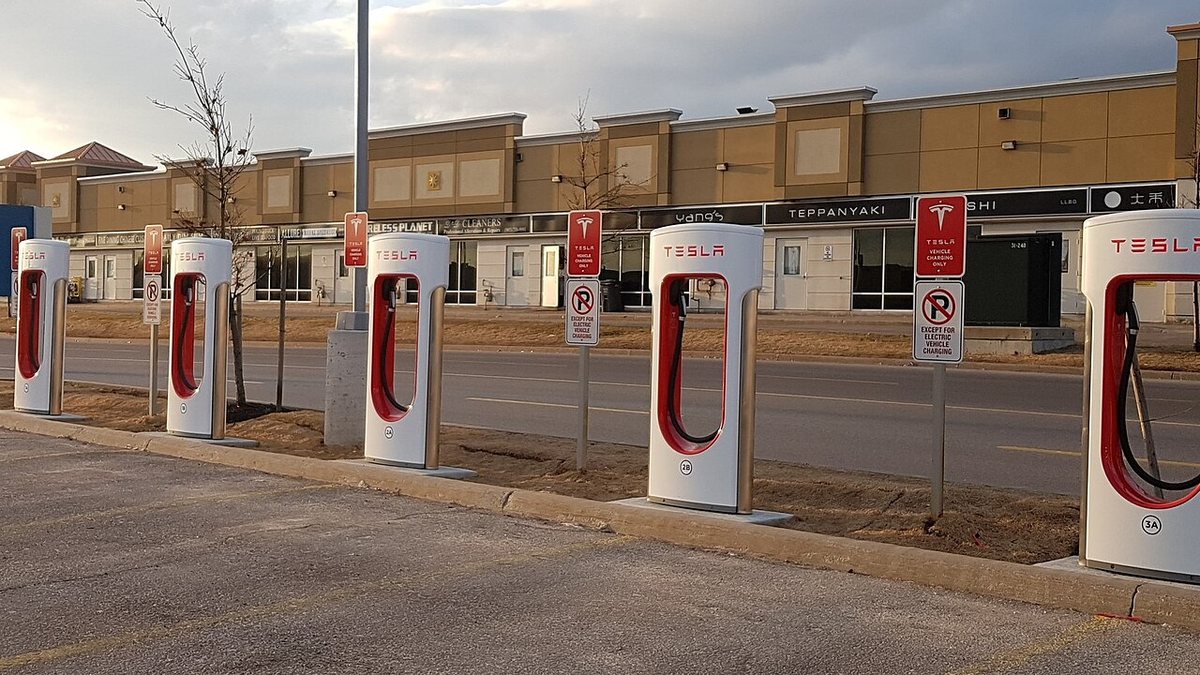
The practical benefit is smoother Supercharger Site Maps. Tesla added 3D Site Maps to the app in September with version 4.61.0, giving you an overhead view of a site’s stalls before you arrive. Site Maps were already drawn with Google Maps, so on iPhone the app stuttered while it swapped map providers. With one provider throughout, zooming in is now smooth. If you use Site Maps to check whether a busy site is full before you pull off the 401, that’s a welcome fix.
The app still doesn’t group nearby Superchargers into a single numbered marker the way the car’s screen does after software update 2026.44.1.
A manual battery preconditioning button is coming
The bigger find is in the code. In its decompile of version 4.63.0, Not a Tesla App found buttons labelled “Precondition Battery” and “Stop Preconditioning.” The app’s help text says your Tesla will still precondition automatically when you navigate to Superchargers or other known fast chargers, but that you can also start it manually. It tells owners to begin one hour before they plan to charge, and says the car will hold the optimal pack temperature for thirty minutes once it gets there.
The code also includes error messages for a car already connected to a fast charger, a battery level that is too low, and a vehicle that doesn’t support the feature. It also notes that preconditioning “does not noticeably improve charge rates at AC chargers,” so this is a DC fast charging tool, not something for your home Wall Connector.
Tesla hasn’t announced the feature or said which vehicles will get it. Features found in app code often launch soon after, but there’s no date, so treat this as coming, not here.
What it means for Canadian owners
Winter is when this matters most. A cold battery can’t accept as much power, so fast charging slows down noticeably in January. Today, your Tesla only warms the pack for fast charging when you navigate to a charger in the car. That works on a long highway drive, but not when the Supercharger is ten minutes from home, or when you head out on a cold morning without setting a destination.
Third-party chargers are the other gap. If you use a CCS adapter at a non-Tesla station, the car has to recognise that station before it will precondition. A manual button would let you warm the pack before any DC stop. If you’re weighing an adapter for winter trips, our CCS adapter buying guide explains how to check whether your car supports one.
What you can do right now. Tesla’s owner’s manual already covers the workarounds:
- Navigate to the charger in the car, ideally 30 to 45 minutes before you arrive. Tesla recommends that window for an optimal battery temperature.
- If the drive is shorter than that, Tesla suggests preconditioning before you leave. Warming the cabin from the app also warms the battery as needed.
- Use Controls > Schedule so the car warms itself before your departure time, ideally while plugged in at home so the energy comes from the wall.
- For a third-party station, search for it in the car’s navigation and set it as your destination. Tesla’s 2025.2 update extended preconditioning to fast chargers entered as a destination.
Keep the app updated. When Tesla switches the button on, it will likely need app 4.63.0 or newer, and possibly a matching vehicle update. We’ll report it once it goes live in Canada and which cars can use it. If you’re catching up on recent app changes, see what we found in app 4.62.5.
Would you use a one-tap battery preheat before a winter Supercharger stop? Tell us how you handle cold-weather charging with 18.5K fellow owners in our Facebook group, Tesla Model Y & 3 [Ontario, Canada]. Come join us! You can also join our X community, Tesla Model* [Ontario, Canada].
Sources
- Apple App Store (Canada): Tesla app, version 4.63.0 release notes
- Not a Tesla App: Tesla App Will Soon Let You Precondition Your Battery
- Not a Tesla App: Tesla’s iPhone App Ditches Apple Maps for Google Maps
- Tesla Model 3 Owner’s Manual: Cold Weather Best Practices
- Redfire: Tesla App 4.63.0 Has Battery Precondition Code